Use it free online
Runs locally · scripts never uploaded

Look into the lens.
Nail it in one take.

FuturEvo Cue is a professional teleprompter. Write, prompt, record and export subtitles in a single browser window — with your scripts stored only on your own device.

No sign-up · Free plan forever · Windows / macOS / Linux / mobile browsers

0script uploads
3languages typeset
9dark themes
1 sfrom open to recording

FuturEvo Cue in a nutshell

FuturEvo Cue is a teleprompter built by FuturEvoLab that runs locally in the browser with no account required.

Scripts, settings and recordings stay on the user’s device. The only networked feature is optional voice follow, which asks for consent before first use.

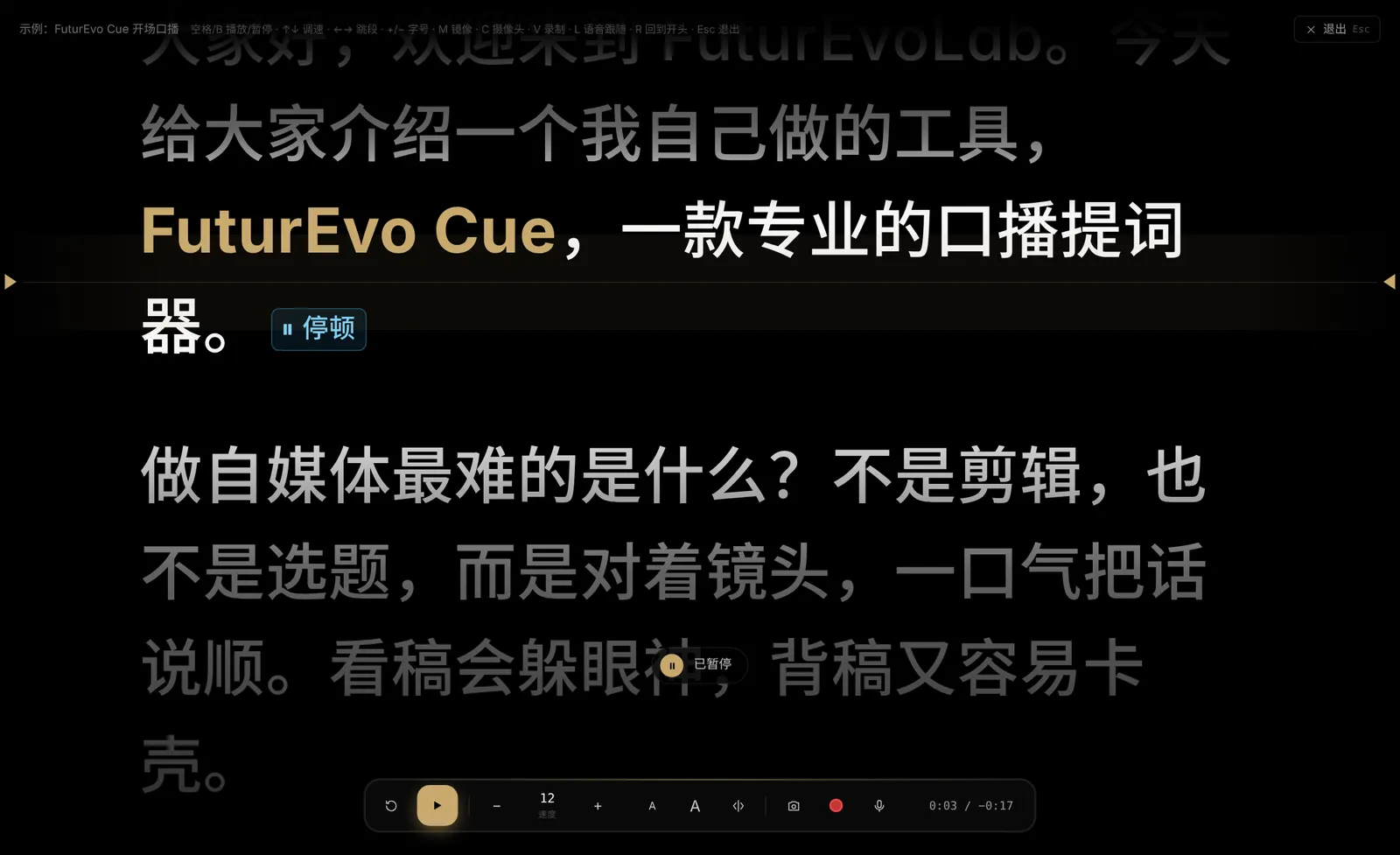
Key features: smooth scrolling with a reading line, auto-pace to speaking rate, mirroring for beam-splitter glass, 9:16 portrait mode, camera recording with SRT subtitle export, phone second screen and remote, voice follow, practice reports and 9 dark themes.

Available as Free, Pro and Studio plans, with a UI in English, 中文 and 日本語.

v0.8.0 · Last updated 2026-11-07
Features

Everything a talking-head shoot needs

01

Smooth scroll + reading line

Silky scrolling, a highlighted current line and soft focus fades keep your eyes on the lens.

02

Auto-pace to your voice

Scroll speed is calculated from length and speaking rate — and calibrated to your real pace after each run.

03

Record while you read

Overlay text on the camera or use picture-in-picture. Record 9:16 vertical video and review each take before saving.

04

Automatic SRT subtitles

Timed from when you reach each paragraph. Video and subtitles export together, ready for editing.

05

Phone screen + remote

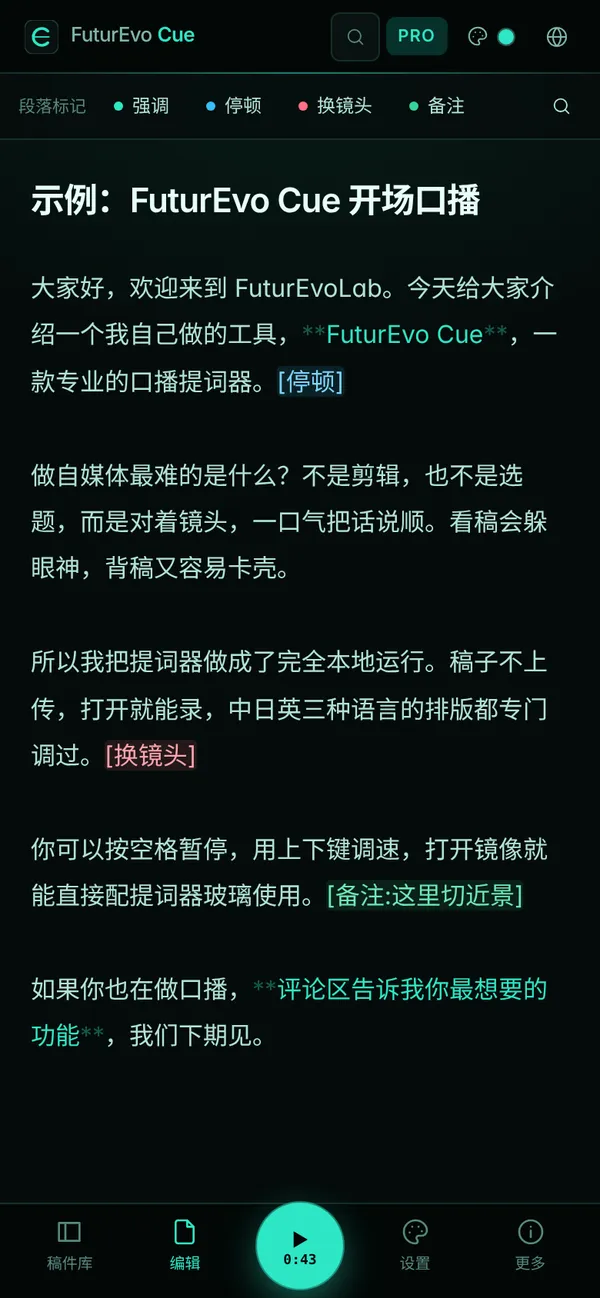
Scan a QR code to mount your phone under the lens as a prompter, or use it as a remote for play, speed and recording.

06

Voice follow (Beta)

The text follows what you say — even when you skip or repeat lines.

07

CJK-aware typography

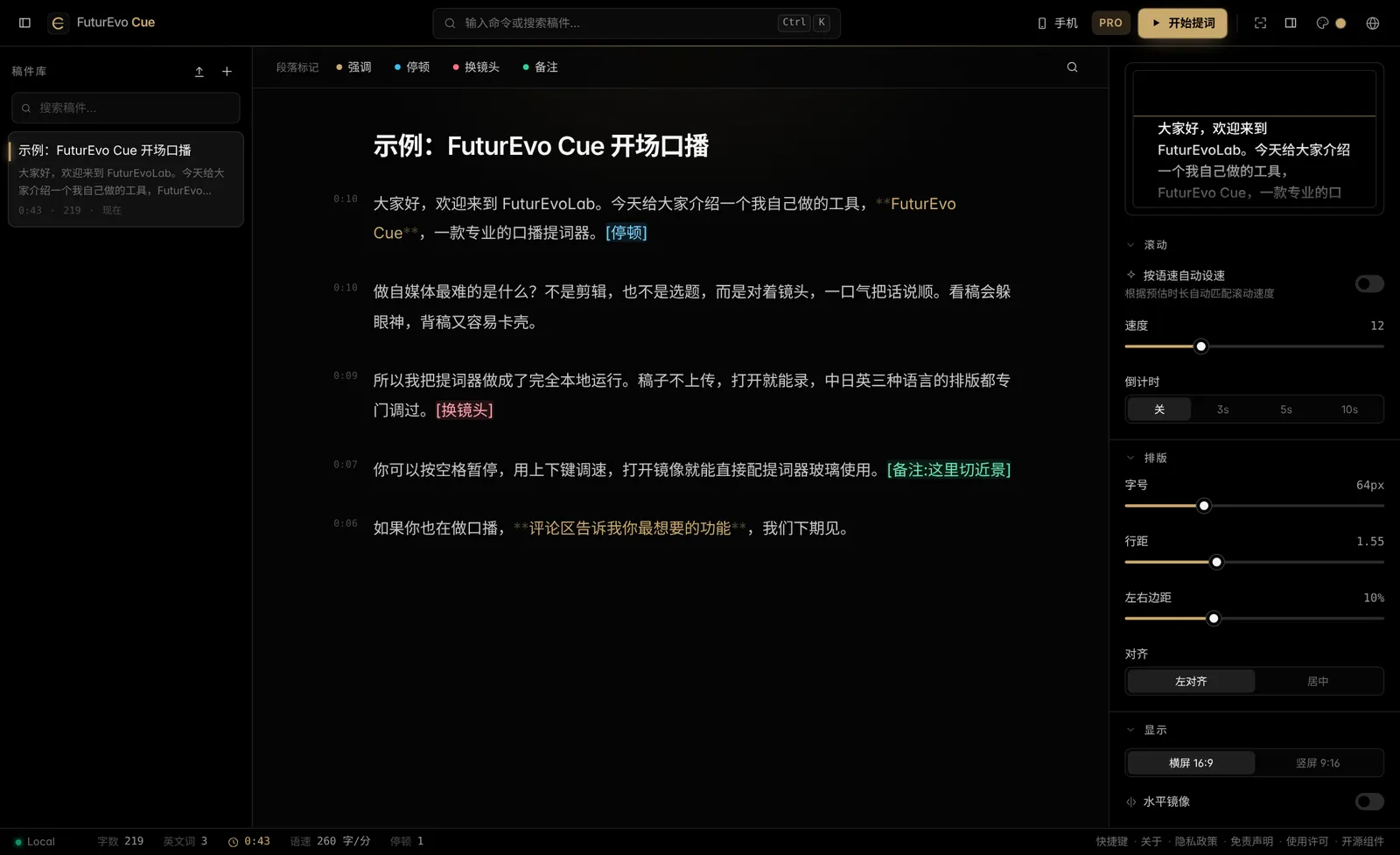
Spacing and line height tuned for Chinese, Japanese and English, with read-time estimates for each.

08

Pro details

Mirror / flip, script markers (emphasis, pause, cut, note), ⌘K command palette, clicker support and 9 themes.

Pro details Smooth scroll + reading line
Phone screen + remote

Nine themes, one click

Noir Gold, Matrix, Cyberpunk and more — click to try them.

FuturEvo CueNoir Gold▶

Sample: FuturEvo Cue intro

Hi everyone, welcome to FuturEvoLab. Today I want to show you a tool I built myself — FuturEvo Cue, a professional teleprompter. [pause]

The hardest part of making videos isn't editing or picking topics. It's looking into the lens and saying it all in one smooth take.

So Cue runs entirely on your machine. Nothing is uploaded, and you can start recording the moment it opens. [cut]

Hi everyone, welcome to Fu…
Speed12
Size64px
Line1.55

How it works

Three steps to roll

  1. STEP 1

    Write or import

    Paste text or import txt, Word, PDF or SRT. A blank line starts a new paragraph.

  2. STEP 2

    Tune it

    Speed, size, mirroring, portrait — or switch on auto-pace.

  3. STEP 3

    Hit Space

    After the countdown, scrolling and recording start together; when you finish, video and subtitles are exported.

Made for

TikTok / YouTube Shorts / ReelsYouTube explainersLive-stream intros and product pitchesOnline courses and trainingCompany videos and launchesPodcasts and voice-over

How to Use a Teleprompter: 6 Steps from Script to Finished Video →

Compare

Compared with typical online teleprompters

FuturEvo CueTypical online teleprompter
Where scripts liveYour device onlyUsually the cloud
Account requiredNoUsually
Works offlineYes (PWA)Mostly no
Dedicated CJK typographyYesRare
Camera recording + SRTYesRare
Phone screen / remoteScan & goSometimes
PriceFree plan foreverMostly subscriptions

Pricing

Pricing

Free

Free

  • Smooth scroll, mirror, portrait, countdown
  • Auto-pace to speaking rate
  • Up to 5 scripts
  • Phone display + basic remote
  • 3 themes

Pro

Coming soon

  • Unlimited scripts, markers & analysis
  • Camera recording + SRT
  • Voice follow (Beta)
  • Import Word / PDF / SRT
  • All 9 themes, no watermark

Studio

Coming later

  • Multi-screen output
  • Director live editing
  • AI spoken-style rewrite

FAQ

FAQ

Is FuturEvo Cue free?

Yes. The Free plan is free forever for personal and commercial work. Pro adds recording, subtitles, voice follow and more.

Are my scripts uploaded to a server?

No. Scripts, settings and recordings stay in your browser / on your computer. The only networked feature is optional voice follow, which sends audio to the browser vendor (Google / Microsoft) for recognition after you explicitly agree; your script text is never uploaded.

Does it work on phones?

Yes. Open it in a mobile browser to write and prompt, or scan a QR code to turn your phone into a second screen or remote for your computer.

How do I use it with teleprompter glass?

Turn on horizontal mirror. The text flips so it reads correctly after reflecting off the beam-splitter glass.

What format are recordings?

MP4 in Chrome / Edge when available, otherwise WebM. Choose original 16:9 or a 9:16 portrait crop; SRT subtitles export at the same time.

Which script languages are supported?

Chinese, Japanese and English get tuned typography and read-time estimates; any other language can be prompted too.

Can I use a clicker or foot pedal?

Yes. PageUp / PageDown jump paragraphs and B or the period key toggles play — compatible with most presentation clickers.

How is it different from other teleprompter apps?

It runs locally with no uploads or sign-up, has dedicated CJK typography, and combines recording, subtitles, a phone remote and practice reports in one tool.

Make your next video a one-take.